Membuat Aplikasi Pencari Resep Makanan dengan API
Membuat Aplikasi Pencari Resep Makanan dengan API
Dipublikasikan: Juli 2026
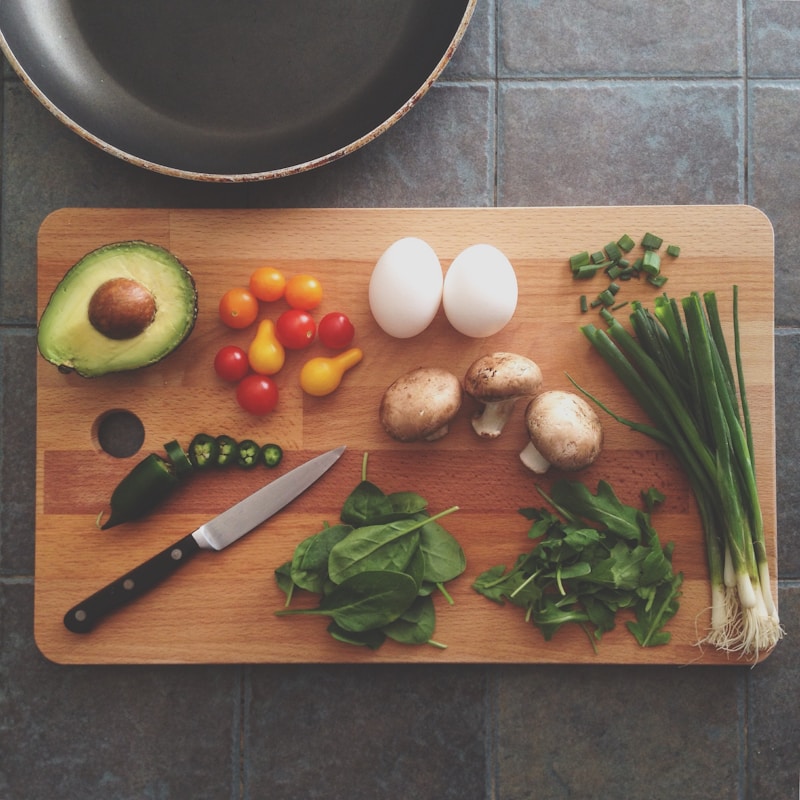
Aplikasi pencari resep makanan sangat populer di Google. Tutorial ini menggunakan TheMealDB API untuk mencari ribuan resep masakan dari seluruh dunia.
Fitur
- Cari resep berdasarkan nama makanan
- Tampilkan gambar, bahan, dan instruksi
- Resep acak (random meal)
- Desain responsif seperti kartu
Kode Lengkap
<!DOCTYPE html>
<html lang="id">
<head>
<meta charset="UTF-8">
<meta name="viewport" content="width=device-width, initial-scale=1.0">
<title>Pencari Resep Makanan</title>
<style>
* { margin:0; padding:0; box-sizing:border-box; }
body { font-family:'Segoe UI',Arial,sans-serif; background:#f0f2f5; padding:30px; }
.container { max-width:900px; margin:0 auto; }
h1 { text-align:center; color:#2d3436; margin-bottom:5px; }
.subtitle { text-align:center; color:#636e72; margin-bottom:25px; }
.search-box { display:flex; gap:12px; margin-bottom:25px; justify-content:center; }
.search-box input { padding:14px 20px; border:2px solid #dfe6e9; border-radius:12px; font-size:16px; width:100%; max-width:400px; }
.search-box input:focus { outline:none; border-color:#e17055; }
.search-box button { padding:14px 24px; background:#e17055; color:#fff; border:none; border-radius:12px; cursor:pointer; font-size:16px; }
.search-box button:hover { background:#d4634a; }
.search-box .random-btn { background:#00b894; }
.search-box .random-btn:hover { background:#00a381; }
.results { display:grid; grid-template-columns:repeat(auto-fill,minmax(280px,1fr)); gap:20px; }
.recipe-card { background:#fff; border-radius:16px; overflow:hidden; box-shadow:0 2px 15px rgba(0,0,0,0.08); cursor:pointer; transition:transform 0.3s; }
.recipe-card:hover { transform:translateY(-4px); }
.recipe-card img { width:100%; height:200px; object-fit:cover; }
.recipe-card .info { padding:16px 18px; }
.recipe-card h3 { color:#2d3436; font-size:18px; margin-bottom:4px; }
.recipe-card .area { color:#636e72; font-size:13px; }
.modal { display:none; position:fixed; top:0; left:0; right:0; bottom:0; background:rgba(0,0,0,0.6); z-index:100; padding:30px; overflow-y:auto; }
.modal-content { background:#fff; border-radius:20px; max-width:700px; margin:30px auto; padding:30px; }
.modal-content img { width:100%; max-height:350px; object-fit:cover; border-radius:14px; margin-bottom:20px; }
.modal-content h2 { color:#2d3436; margin-bottom:5px; }
.modal-content .meta { color:#636e72; margin-bottom:15px; font-size:14px; }
.modal-content h3 { color:#e17055; margin:15px 0 10px; }
.modal-content ul { padding-left:20px; line-height:2; }
.modal-content .instructions { line-height:1.8; color:#2d3436; }
.close-btn { float:right; font-size:28px; cursor:pointer; color:#b2bec3; }
.close-btn:hover { color:#2d3436; }
.empty { text-align:center; color:#b2bec3; padding:40px; }
</style>
</head>
<body>
<div class="container">
<h1>🳠Pencari Resep Makanan</h1>
<div class="subtitle">Cari ribuan resep masakan dari seluruh dunia</div>
<div class="search-box">
<input id="searchInput" placeholder="Cari resep... misal: ayam, pasta, cake" />
<button onclick="searchRecipe()">Cari</button>
<button class="random-btn" onclick="randomRecipe()">🎲 Acak</button>
</div>
<div class="results" id="results"></div>
</div>
<div class="modal" id="modal" onclick="closeModal(event)">
<div class="modal-content" id="modalContent"></div>
</div>
<script>
async function searchRecipe() {
const q = document.getElementById('searchInput').value.trim();
if (!q) return alert('Masukkan nama makanan');
document.getElementById('results').innerHTML = '<div class="empty">Mencari...</div>';
try {
const res = await fetch(`https://www.themealdb.com/api/json/v1/1/search.php?s=${q}`);
const data = await res.json();
if (data.meals) displayResults(data.meals);
else document.getElementById('results').innerHTML = '<div class="empty">Resep tidak ditemukan</div>';
} catch(e) { document.getElementById('results').innerHTML = '<div class="empty">Gagal memuat data</div>'; }
}
async function randomRecipe() {
const res = await fetch('https://www.themealdb.com/api/json/v1/1/random.php');
const data = await res.json();
if (data.meals) displayResults(data.meals);
}
function displayResults(meals) {
document.getElementById('results').innerHTML = meals.map(m => `
<div class="recipe-card" onclick="showDetail('${m.idMeal}')">
<img src="${m.strMealThumb}" alt="${m.strMeal}" />
<div class="info"><h3>${m.strMeal}</h3><div class="area">${m.strArea} · ${m.strCategory}</div></div>
</div>`).join('');
}
async function showDetail(id) {
const res = await fetch(`https://www.themealdb.com/api/json/v1/1/lookup.php?i=${id}`);
const data = await res.json(); const m = data.meals[0];
let ingredients = '';
for (let i = 1; i <= 20; i++) {
if (m[`strIngredient${i}`]) ingredients += `<li>${m[`strMeasure${i}`]} ${m[`strIngredient${i}`]}</li>`;
}
document.getElementById('modalContent').innerHTML = `
<span class="close-btn" onclick="document.getElementById('modal').style.display='none'">×</span>
<img src="${m.strMealThumb}" alt="${m.strMeal}" />
<h2>${m.strMeal}</h2>
<div class="meta">${m.strArea} · ${m.strCategory}</div>
<h3>🧂 Bahan-bahan</h3><ul>${ingredients}</ul>
<h3>📠Instruksi</h3><div class="instructions">${m.strInstructions.replace(/\n/g,'<br/>')}</div>`;
document.getElementById('modal').style.display = 'block';
}
function closeModal(e) { if (e.target === document.getElementById('modal')) document.getElementById('modal').style.display = 'none'; }
document.getElementById('searchInput').addEventListener('keypress', (e) => { if (e.key === 'Enter') searchRecipe(); });
randomRecipe();
</script>
</body>
</html>Cara Jalankan
- Simpan sebagai resep.html
- Buka di browser
- Cari resep favorit Anda!
"Temukan resep masakan baru setiap hari!"
Label: Tutorial, Web App, Resep, Makanan, API, JavaScript, HTML, CSS
Posting Komentar untuk "Membuat Aplikasi Pencari Resep Makanan dengan API"
Terimaksih telah menyempatkan hadir di blog saya
Posting Komentar